Fixing the MX Master (cursor not working)
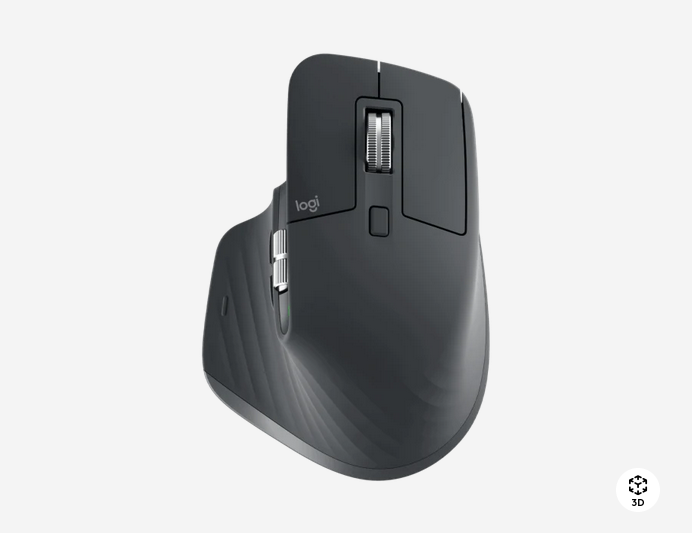
Did you know that your Logi(tech) MX Master has a side button to change applications?
If so you're probably one of the few to use this function. But did you also know that it can break your mouse cursor even though all your other buttons still work? Not only that but apparently this 'bug' hasn't been fixed since the first one!? Mine is an original Mx Master from Logitech. However the video linked below suggests that the 2 and 3 are also affected.
Well the good news is that it is relatively easy to fix!
Unfortunately you need 3 different bits to fix this issue. Shame on you logi for making this uncessarily difficult!
What makes this a breeze though is the wonderful Mako kit by iFixit. At around 40€ this purchase is a must for anyone looking to repair their electronics. Considering a new MX Master 3s is around 130€ this is a steal!
Simply unscrew the mouse, be careful when taking it apart since you don't want to rip off the internal cable. Slow and steady wins the race.. and keeps your mouse working.
Then loosen the screws on the little pcb (the green plastic board) that holds the side button and voila! This little tweak un-presses the button enough that it won't interfere with the cursor.
As usual iFixit has a guide for the whole MX Master series and one article specifically for this issue
 Author
Here is a video of from the nice guys over at techwalls that illustrates this nicely:
There's also a mandatory reddit post. It is one of the first things to popup in a google search. That highlights the fact that reddit is one of the premier community platforms where actual humans try to help others. Let's hope nobody screws that up.